A post from November 2021 titled The 14-inch MacBook Pro Resets the Timeline is one of my favorite things I’ve written in the 18-year history of 512 Pixels. In it, I reviewed the first 14-inch MacBook Pro as if the 2016-era MacBook Pros never existed.
But of course, they did exist, and were announced ten years ago this week. Here’s a bit from Apple Newsroom back on October 27, 2016:
Apple today introduced the thinnest and lightest MacBook Pro ever, along with a breakthrough interface that replaces the traditional row of function keys with a brilliant, Retina-quality Multi-Touch display called the Touch Bar. The new MacBook Pro features Apple’s brightest and most colorful Retina display yet, the security and convenience of Touch ID, a more responsive keyboard, a larger Force Touch trackpad and an audio system with double the dynamic range. It’s also the most powerful MacBook Pro ever, featuring sixth-generation quad-core and dual-core processors, up to 2.3 times the graphics performance over the previous generation, super-fast SSDs and up to four Thunderbolt 3 ports.
The Touch Bar places controls right at the user’s fingertips and adapts when using the system or apps like Mail, Finder, Calendar, Numbers, GarageBand, Final Cut Pro X and many more, including third-party apps. For example, the Touch Bar can show Tabs and Favorites in Safari, enable easy access to emoji in Messages, provide a simple way to edit images or scrub through videos in Photos and so much more.
(The video of this event is available on YouTube.)
The 2016 machine replaced the original run of Retina MacBook Pros, which many believed was the best Mac notebook of all time. That included Marco Arment, who wrote this in 2017:
Apple has made many great laptops, but the 15-inch Retina MacBook Pro (2012–2015) is the epitome of usefulness, elegance, practicality, and power for an overall package that still hasn’t been (and may never be) surpassed.
Introduced in 2012, less than a year after Steve Jobs died, I see it as the peak of Jobs’ vision for the Mac.
It was the debut of high-DPI Macs, starting down the long road (which we still haven’t finished) to an all-Retina lineup. And with all-SSD storage, quad-core i7 processors, and a healthy amount of RAM all standard, every configuration was fast, capable, and pleasant to use.
The Problems
The 2016 MacBook Pro was not pleasant to use. A decade later, I would lump its issues into four main categories, ranked from least bad to worst.
A Confusing Lineup
Before this announcement, Apple had the 12-inch MacBook, the non-Retina MacBook Air, and two sizes of the MacBook Pro. It was a little messy, but Apple’s biggest sin in this era was leaving the MacBook Air to die on the vine.
As part of this announcement, the company doubled down with a new entry-level model that diluted the MacBook Pro name and made the MacBook Air look even worse.
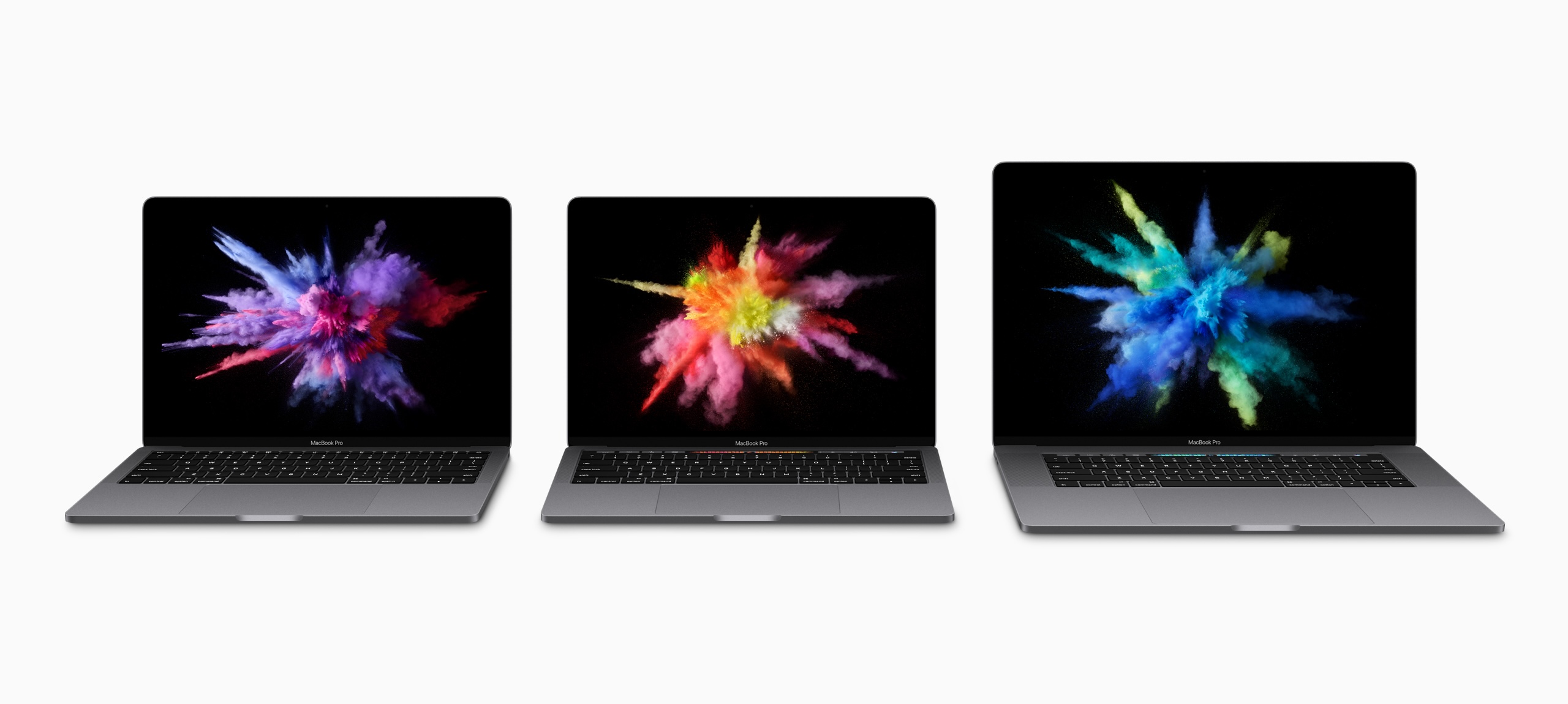
I complained about this a lot at the time, but in hindsight, it was the smallest problem created by the 2016 MacBook Pro.
The Touch Bar
When announcing OS X Lion, Steve Jobs mocked touchscreen notebooks, saying they made your arm want to fall off, then went on to praise Apple’s newest trackpads and their gesture support.
When introducing this new laptop, Phil Schiller doubled down, touting the Touch Bar as the perfect solution. Since it was just a screen, its UI could change to meet the moment. Dealing with email? Tap a mailbox’s name and file a message away in an instant. Editing a song in Logic? Just tap a virtual button to make a cut instead of using a keyboard shortcut. Using the perfect emoji was just a swipe away.

In many ways, this was an echo of the plastic-keyboards-are-bad argument about the original iPhone, just applied to the Mac.
In my hands-on with the machine, I wrote this about the Touch Bar:
I liked that it surfaces things in complex applications like Final Cut Pro X and Numbers, but the inconsistent usage and mode switching that has to take place to find things would need to be second nature before I considered it helpful day to day. I think there’s a ton of potential here, though, and it’s still early days of this thing.
Sadly, the Touch Bar never lived up to that potential. Some third-party developers did clever things with it, and the Control Strip allowed for customization beyond what traditional function keys could offer, but those things weren’t enough.
Many apps — including those bundled with macOS — offered wildly different experiences, and some apps ignored the Touch Bar altogether. Apple never figured it out, and the Touch Bar quickly grew stale.
That doesn’t even get into other issues, like the fact you had to take your eyes off the screen to hit the right button, or that it sometimes just froze, or that the Escape key (for a while) was locked away in software.
I know some people loved the Touch Bar, but it didn’t change the way the vast majority of people use their Macs, and it rightfully died in the move to the current design.
A Lack of Ports
Here we’re starting to run into real issues. I carried around this set of dongles for years.

USB-C and Thunderbolt are amazing, but the world wasn’t ready to go all-in. Sometimes cutting old features works out, but it did not in this case.
I think it’s very telling that the current models brought back MagSafe, HDMI, and the card reader. The arrangement is perfect, here ten years later.
The Butterfly Keyboard
The best only good part of the keyboard on these machines is that it introduced Touch ID to the Mac, something millions of people use every single day.
The tale of the Butterfly Keyboard has been told before, but in short, Apple designed a new keyboard switch for the ultra-thin MacBook, then used it across its notebook line. It was unreliable and fragile, and Apple tried to fix it with things like membranes under the keys to keep dust out.
The whole thing was miserable, and it took Apple way, way too long to replace it.
…but replace it they did!
A Partial Solution
In November 2019, something wonderful happened. Apple PR:
Apple today unveiled an all-new 16-inch MacBook Pro — the world’s best pro notebook — designed for developers, photographers, filmmakers, scientists, music producers and anyone who relies on a Mac to create their life’s best work. The all-new MacBook Pro features a brilliant 16-inch Retina Display, the latest 8-core processors, up to 64GB of memory, next-generation graphics with up to 8GB of VRAM and a new advanced thermal design, making it the most powerful MacBook Pro ever.
Featuring a new Magic Keyboard with a redesigned scissor mechanism and 1mm travel for a more satisfying key feel, the 16-inch MacBook Pro delivers the best typing experience ever in a Mac notebook. The 16-inch MacBook Pro also includes a six-speaker sound system, longer battery life, Touch Bar, Touch ID, the Force Touch trackpad and the Apple T2 Security Chip.
I picked one of these machines up, and it was pretty great. It ran cooler than my previous MacBook Pro, and the keyboard was an unbelievable improvement over the garbage fire that was the Butterfly Keyboard.
The new Magic Keyboard slowly spread across Apple’s line, with the MacBook Air getting it in March 2020, and the 13-inch MacBook Pro getting updated a couple of months later.
A Return to Sanity
That 13-inch-with-a-Touch-Bar-and-Magic-Keyboard-but-just-Thunderbolt-ports MacBook Pro survived the Apple silicon transition, receiving the M1 in November 2020, and an M2 in June 2022. By then, it was the low-end model, with much better machines as bigger siblings.
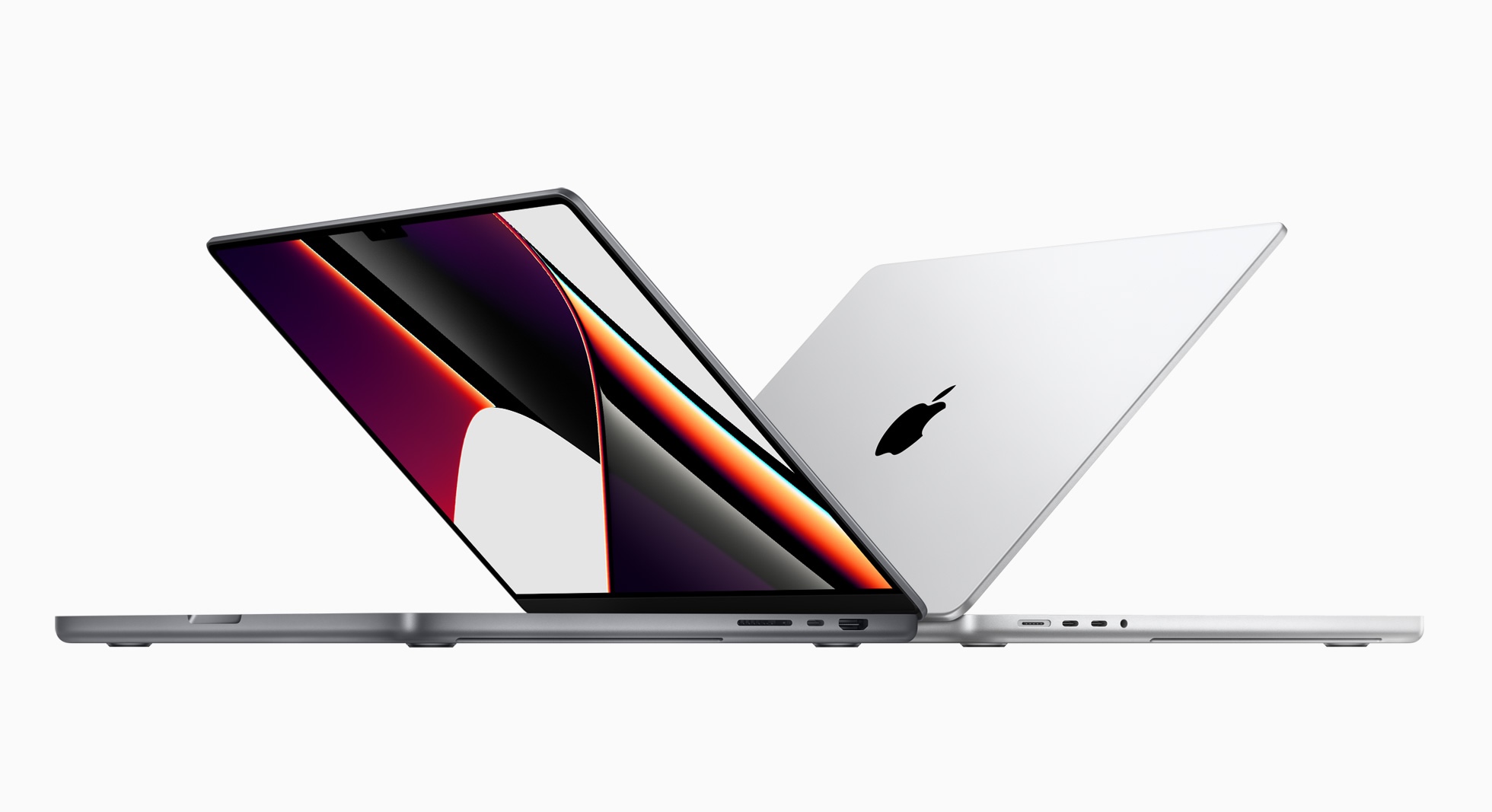
The current 14- and 16-inch MacBook Pros are incredible machines, and I believe they live up to the hype of the beloved 2012-2015 models. They have the right IO, a great keyboard, amazing battery life, and are mind-blowingly powerful. My current M4 Max 14-inch is by far the best laptop I have ever owned, even if macOS still doesn’t really know how to handle the stupid notch.
In hindsight, it’s hard to believe the same company that shipped the 2016 class of machines made the current crop.
What Comes Next
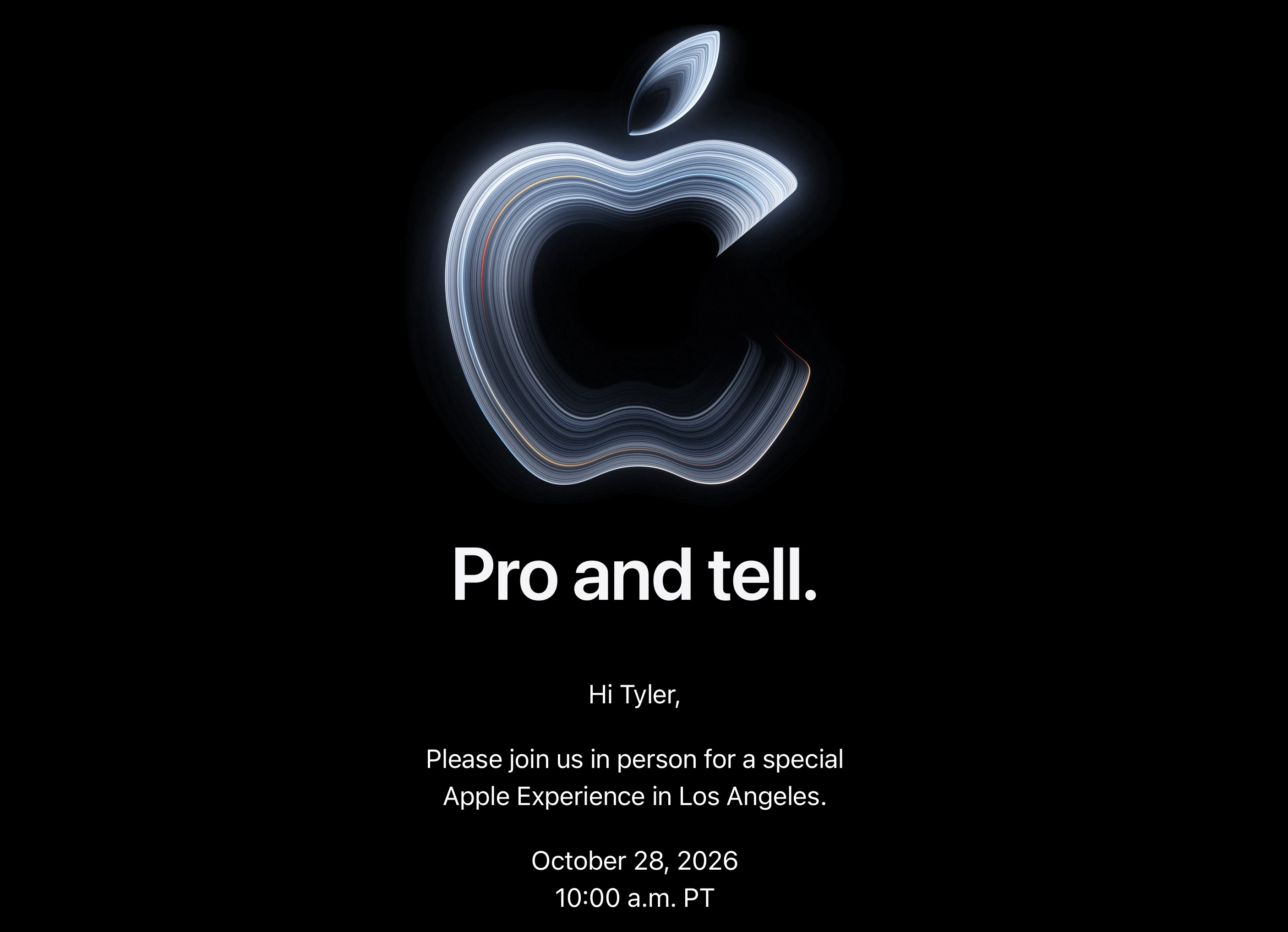
If rumors are to be believed, we are on the precipice of a new generation of MacBook Pro that will usher in the Mac’s touchscreen era, with new OLED displays, updated chassis, and even more powerful SoCs.
I am extremely curious what it will be like to touch macOS, but this article is about the hardware. On that front, I expect Apple will do the right thing by the MacBook Pro. MagSafe is here to stay, and I bet the other ports are as well. Eyeballing the side of my machine, there’s a little room to be thinner without needing to remove the HDMI port or SD card reader.
The company’s hardware chief is its new CEO, and it seems that his old department has been firing on all cylinders for a long time. I’m excited to see what they have cooked up for the next MacBook Pro.